
GE OEC One C-Arm: Is It Right for Your Facility?
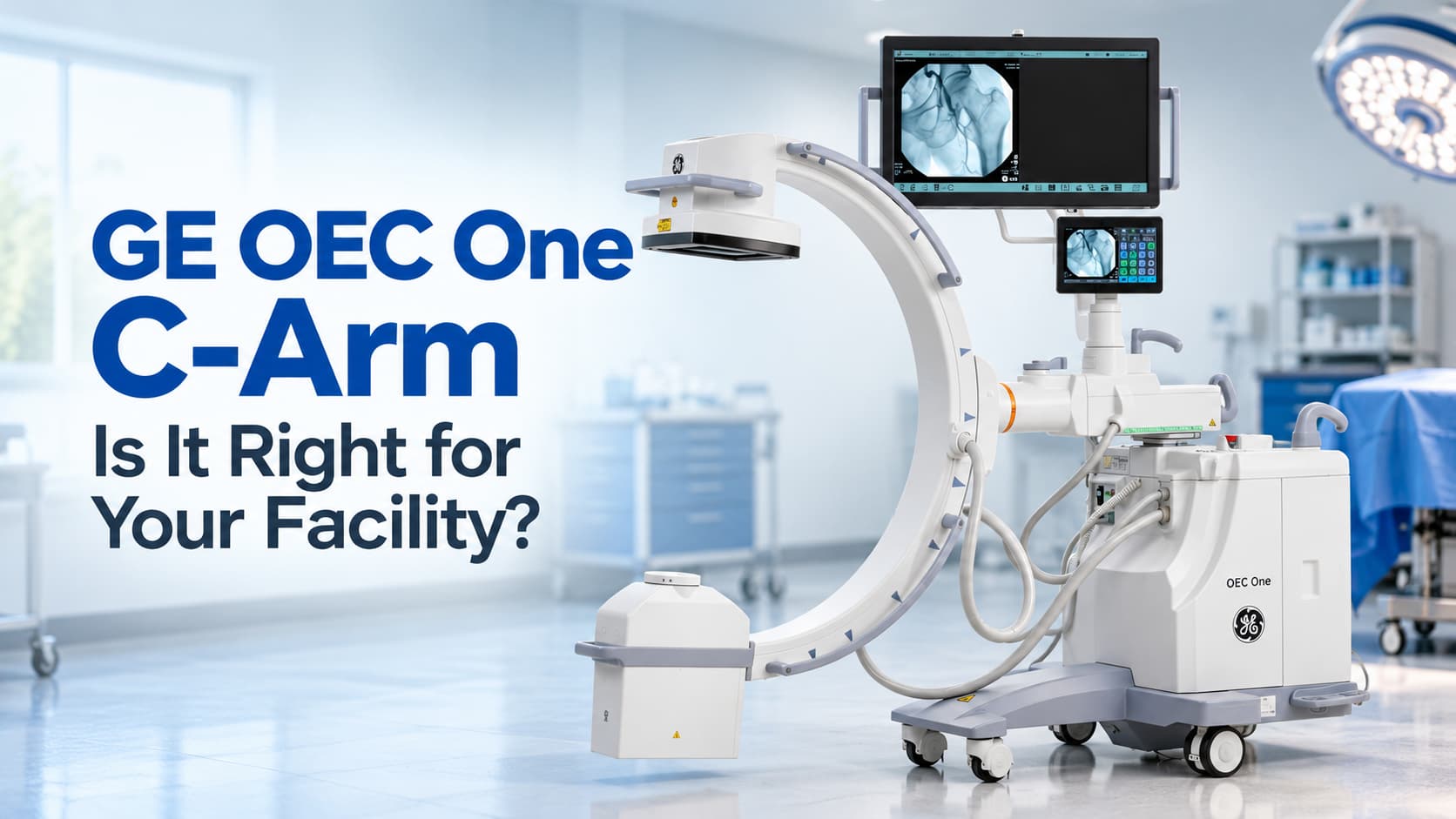
You are shopping for a C-arm and the GE OEC One C-Arm keeps coming up in your research. Maybe a colleague mentioned it, or you spotted it in a product listing while trying to figure out what actually fits your procedure room, your budget, and the types of cases you run every week. That is exactly the right question to be asking, and the answer depends on more than a spec sheet.
Why the GE OEC One C-Arm Works Well for Outpatient and Specialty Facilities
Outpatient surgery centers, orthopedic clinics, and pain management offices share a common constraint: space is almost always tighter than anyone planned for. A traditional full-size C-arm brings a separate monitor cart, a tangle of cables, and a footprint that can crowd a smaller procedure room before the first patient walks in. The OEC One was designed with that reality in mind.
The Integrated Display Changes How a Room Feels
The system is built as an all-in-one mobile C-arm, combining key imaging controls and display functions directly at the unit. This reduces the need for a separate workstation, which is especially valuable in procedure rooms with limited space.
The articulating display arm offers five ranges of motion, including 210 degrees of swivel and 40 cm of vertical travel. That matters when a surgeon needs the screen close and at eye level without asking staff to reposition a separate cart between cases.
Fluoroscopic Imaging Quality for Guided Procedures
The OEC One includes a high DQE 65 percent image intensifier paired with a 1k x 1k camera, designed to provide detailed high-resolution fluoroscopic images across a range of surgical applications.
Advanced imaging features include ADRO, MAR, AutoTrak, and Smart Metal for superior image clarity and consistency. The OEC image processing software automatically senses anatomy and delivers high-quality imaging at optimal mA and kV levels, even when anatomy is not properly centered in the field of view. For orthopedic cases, joint injections, and spine procedures, those processing tools keep workflows moving without constant manual adjustments.
Touchscreen Controls That Match How Staff Actually Work
The TechView tablet interface is an intuitive 10.1-inch touchscreen for easy image adjustments, fluoro mode switching, and dose management. A familiar touchscreen interface shortens the learning curve and reduces the chance of setup errors at the start of a case.
The live image is synchronized on both the primary display monitor and the OEC Touch control panel. The surgeon and the technologist see the same image at the same time, which keeps communication clean during a procedure.
Moving Between Rooms Without Losing Time
The OEC One’s small footprint, lightweight counterbalanced design, and five-minute standby transport capability make it well suited for facilities that need to move quickly between rooms. The articulating 27-inch display arm provides line of sight to images whether users are standing or seated, on the right or left of the C-arm — significant when room layouts vary from one suite to the next.
How It Compares to Older GE Systems
The OEC 9800 and OEC 9900 Elite are proven systems that remain in service at facilities across the country. The two machines share the same X-ray tube, generator, and image intensifier, so actual image quality is nearly identical. What separates them is everything built around that core: the monitors, the storage, and the software.
Where the 9800 and 9900 rely on a two-piece design with a separate monitor workstation, the OEC One consolidates everything into a single mobile unit with a 27-inch display, 10.1-inch TechView touchscreen, and a 2.5 kW generator running ADRO, Enhanced Motion Artifact Reduction, and AutoTrak image processing.
That does not mean it is the right choice for every facility. Clinics with heavy vascular caseloads or complex interventional work may find the 9900 Elite’s software configurations or a larger full-size system better matches their clinical demands. The honest answer is always: it depends on your case mix.
If you are also evaluating flat panel detector options in this same compact form factor, it is worth reading through this comparison of the OEC One CFD and the Ziehm Solo FD to understand how those two systems differ in detector technology, image processing, and workflow design before you finalize a decision.
Practical Considerations Before You Buy or Rent
Buying a refurbished unit can be a sound financial decision when the equipment has been properly inspected and restored. What matters is the service history, what was replaced or reconditioned, and what warranty or post-sale support comes with the purchase.
DICOM connectivity is listed as a feature on these systems, but whether a specific unit has it configured and operational depends on how it was originally ordered and refurbished. Always confirm installed software options before assuming PACS integration is ready to go. Room dimensions, power requirements, and storage between cases are all practical details that matter as much as the spec sheet.
Every conversation at Pacific Healthcare Imaging starts the same way: with your caseload, your space, and what you actually need the equipment to do. Waiting to make this decision rarely saves money, especially when a rental option can get your facility imaging sooner while you evaluate a longer-term purchase. Call a medical imaging equipment specialist at (619) 810-0020 or email sales@pacifichealthusa.com to talk through your options with no pressure and no obligation.
Frequently Asked Questions
What is the GE OEC One C-Arm best suited for?
It performs well in orthopedic clinics, pain management centers, ambulatory surgery centers, and outpatient facilities that handle a mix of guided injections, fracture care, and minor surgical procedures. It is not a universal fit for every application, so facilities with high-volume vascular or complex interventional cases should evaluate whether a larger or more specialized system better matches their clinical needs.
Is the OEC One the same as the OEC One CFD?
No, and confusing the two is a common mistake. The standard OEC One uses an image intensifier imaging chain with a 1k x 1k camera. The OEC One CFD uses a CMOS flat panel detector with higher resolution image processing and a 4K display. They share the same chassis and general form factor, but the detector technology and image performance differ. Make sure you know which version you are evaluating before comparing specifications.
Can I connect this system to our PACS?
The OEC One is listed with DICOM connectivity, but whether a specific unit has that feature fully configured depends on how it was originally built and, if refurbished, how it was restored. Never assume PACS integration is plug-and-play on a used or refurbished unit. Ask the seller to confirm the installed software options and verify connectivity before the equipment ships.
How does the OEC One differ from the OEC 9800 and 9900 Elite in practical terms?
The 9800 and 9900 Elite are two-piece systems with a separate monitor workstation cart. The OEC One integrates the display and controls directly onto the unit, which reduces the overall footprint and simplifies room setup. The older systems run a 15 kW generator while the OEC One runs a 2.5 kW generator, which is a meaningful difference some facilities factor into their evaluation for heavier patients or high-volume case days. Neither approach is universally better; it depends on what your caseload demands.
What should I ask about when buying a refurbished unit?
Start with the service history: what components were replaced, what was tested, and what the cosmetic and functional condition ratings mean. Ask about the image intensifier hours, whether the X-ray tube has been serviced or replaced, and what warranty or support comes after delivery. A refurbished C-arm that has been properly reconditioned can serve a busy clinic reliably for years, but the quality of the refurbishment process varies significantly between sellers. Pacific Healthcare Imaging can walk you through what to look for and what questions to ask. Call (619) 810-0020 or visit Pacific Healthcare Imaging to speak with a specialist.
Can I rent or lease instead of buying outright?
Yes, and for many outpatient facilities it makes sense to start that way. Rental and lease options allow you to get equipment operational quickly without committing to a full purchase while you confirm the system fits your workflow. It also gives newer practices a path to imaging capability while capital budgets catch up. Terms and availability vary, so it is worth having a direct conversation about what your timeline and budget actually look like.


